Office Automation
Write Markdown, let WinClaw generate polished PPT, Word, and Excel files in one step — then use AI to fine-tune styles and details.
Have you ever had this experience: the content is ready, but turning it into a PPT takes longer to format than it took to write? Or you finished a Word report and someone asks "can you make the headings blue and add borders to the tables" — and now you're manually editing cell by cell.
Let WinClaw handle this.
Tool Overview
WinClaw provides two categories of Office tools that together solve the full "content → professional Office document" pipeline:
Category 1: markdown2* series — convert Markdown to Office files in one step
| Tool | Function |
|---|---|
markdown2ppt | Markdown → PowerPoint presentation |
markdown2word | Markdown → Word document |
markdown2pdf | Markdown → PDF |
markdown2png | Markdown → image |
Category 2: agent_* series — make precise modifications to existing Office files
| Tool | Function |
|---|---|
agent_ppt | Style adjustments, content edits, slide add/remove |
agent_excel | Data fill, formatting, formula operations |
agent_word | Layout adjustments, paragraph edits, style unification |
The division of labor is clear: use markdown2* to generate the first draft, then agent_* to polish the details.
Step 1: Install from the Tool Market
Open WinClaw, go to the Tools page, switch to the Tool Market tab, and search for and install the tools you need.

All these tools are available in the Tool Market — one click to install, no manual environment configuration required.
Step 2: Write Markdown, Convert to Office in One Step
After installation, you only need two things:
- Write your content in Markdown in WinClaw's chat (or ask AI to help organize it into Markdown)
- Tell WinClaw what format to convert to
Example command:
Convert this content into a PPT and save it to the desktop
WinClaw will call the markdown2ppt tool and convert your Markdown content into a fully structured PowerPoint file. markdown2word and markdown2pdf work exactly the same way — just change the instruction.
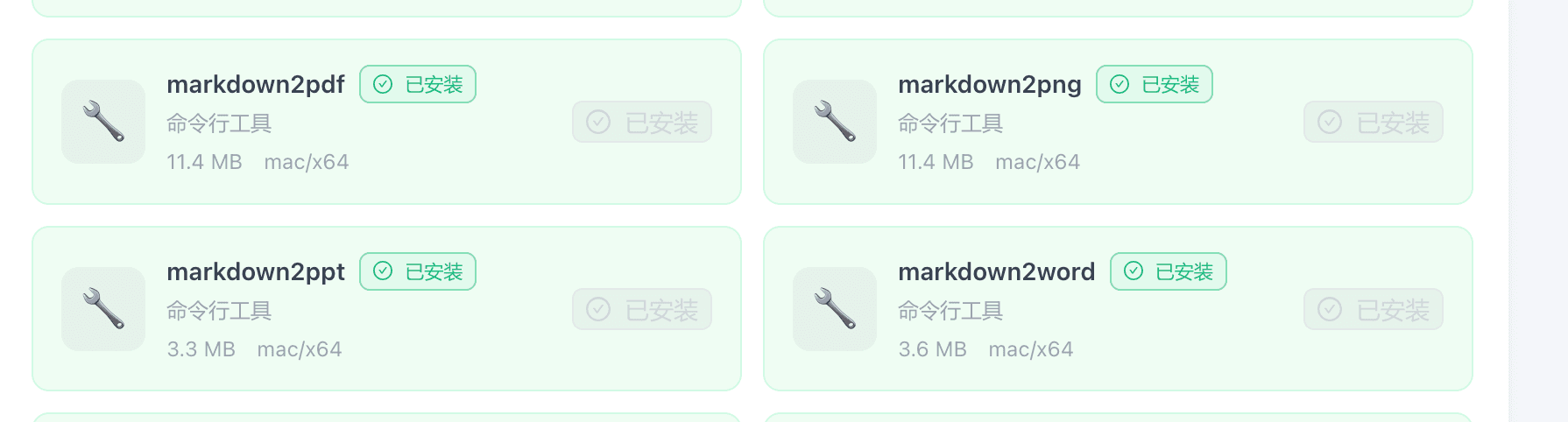
You can see all four tools in the Tool Market: markdown2pdf, markdown2png, markdown2ppt, and markdown2word, covering the most common output formats.
Step 3: Fine-Tune with agent_ppt / agent_excel / agent_word
Documents generated by markdown2* already have a complete content structure. For precise style adjustments, hand it off to the agent_* series:
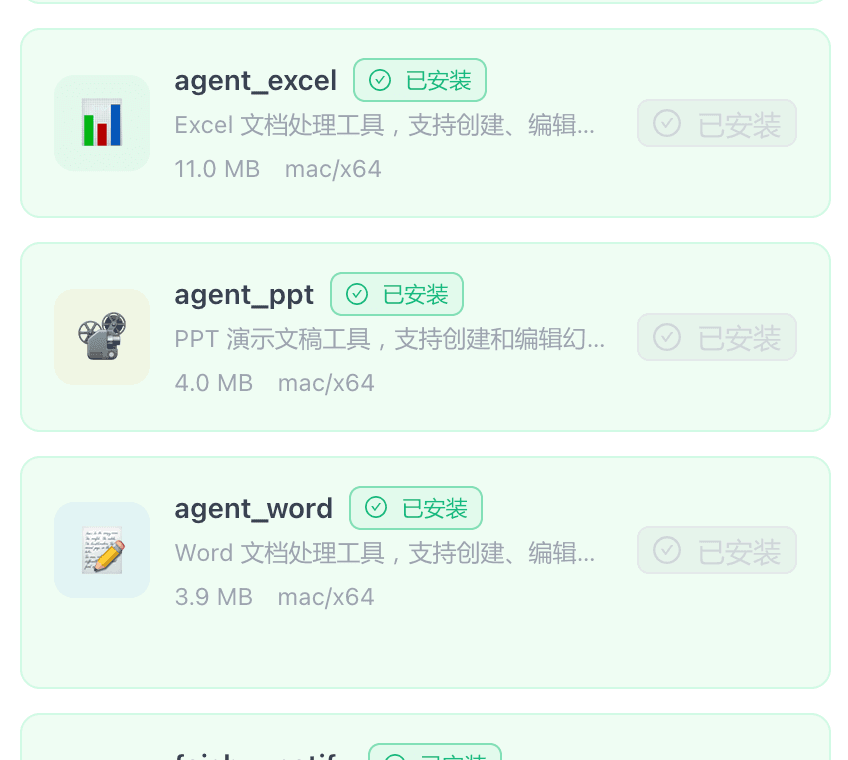
PPT adjustment example:
Change the background of slide 2 in report.pptx to dark blue and the title text to white
Excel adjustment example:
Bold and fill A1:F1 in data.xlsx with a gray background
Word adjustment example:
Set all body paragraph line spacing to 1.5x in report.docx and center all headings
WinClaw calls the corresponding agent tool, edits the file directly, and returns the updated document when done.
Full Workflow Example
Scenario: You need to create a quarterly summary PPT and the content is already prepared.
Step 1: Write the content in Markdown:
# 2026 Q1 Summary

## Key Results
- 12,000 new users
- Revenue up 35% quarter-over-quarter
- 8 new features launched

## Q2 Focus
- Expand international markets
- Improve paid conversion rate
Step 2: Ask WinClaw to convert it to a PPT:
Convert the Markdown above into a PPT and save it as Q1-summary.pptx
markdown2ppt generates a clearly structured presentation.
Step 3: Apply style adjustments:
Change the title slide background in Q1-summary.pptx to dark, font to white — make it look more professional
agent_ppt edits the file directly and returns the adjusted version.
You never opened PowerPoint. You never dragged a single color block.
Tool Capabilities Reference
markdown2ppt
- Automatically paginates based on Markdown heading levels
- Supports ordered/unordered lists, code blocks, and tables
- Generates standard
.pptxformat — open and continue editing in PowerPoint or WPS
markdown2word
- Preserves heading hierarchy, paragraphs, tables, and lists
- Generates standard
.docxformat
markdown2pdf
- Outputs directly to
.pdf, ideal for printing and sharing - Supports Chinese characters
markdown2png
- Renders Markdown as an image, perfect for embedding in chats or social media
agent_ppt
- Modify text content, font, color, and size on any slide
- Adjust background colors and layouts
- Add or remove slides
agent_excel
- Read and write cell data
- Set font, color, borders, and alignment
- Insert formulas
- Add or delete worksheets
agent_word
- Modify paragraph text and styles
- Adjust font, color, line spacing, and indentation
- Work with table content and formatting
FAQ
Which platforms are supported?
The markdown2* and agent_* tools currently support Mac x64 and Windows x64 platforms.
Can the generated PPT be further edited in PowerPoint?
Yes. markdown2ppt generates a standard .pptx file that can be opened and edited normally in PowerPoint, WPS, or Keynote (with some limitations).
Can I modify existing PPT/Word/Excel files?
Yes. The agent_ppt, agent_word, and agent_excel tools can directly operate on existing Office files — just tell AI what you want to change.
How well does it handle Chinese content?
Chinese is supported. markdown2pdf and markdown2png have built-in Chinese font support. The PPT and Word tools rely on system fonts — make sure Chinese fonts are installed on your system.